Better metadata,
by design.
MetaPhotoAI writes titles, descriptions and keywords for your photos and videos in seconds — 1,500 files in about 3 minutes, right on your own machine.
Free tier includes 50 credits · No credit card required · View pricing
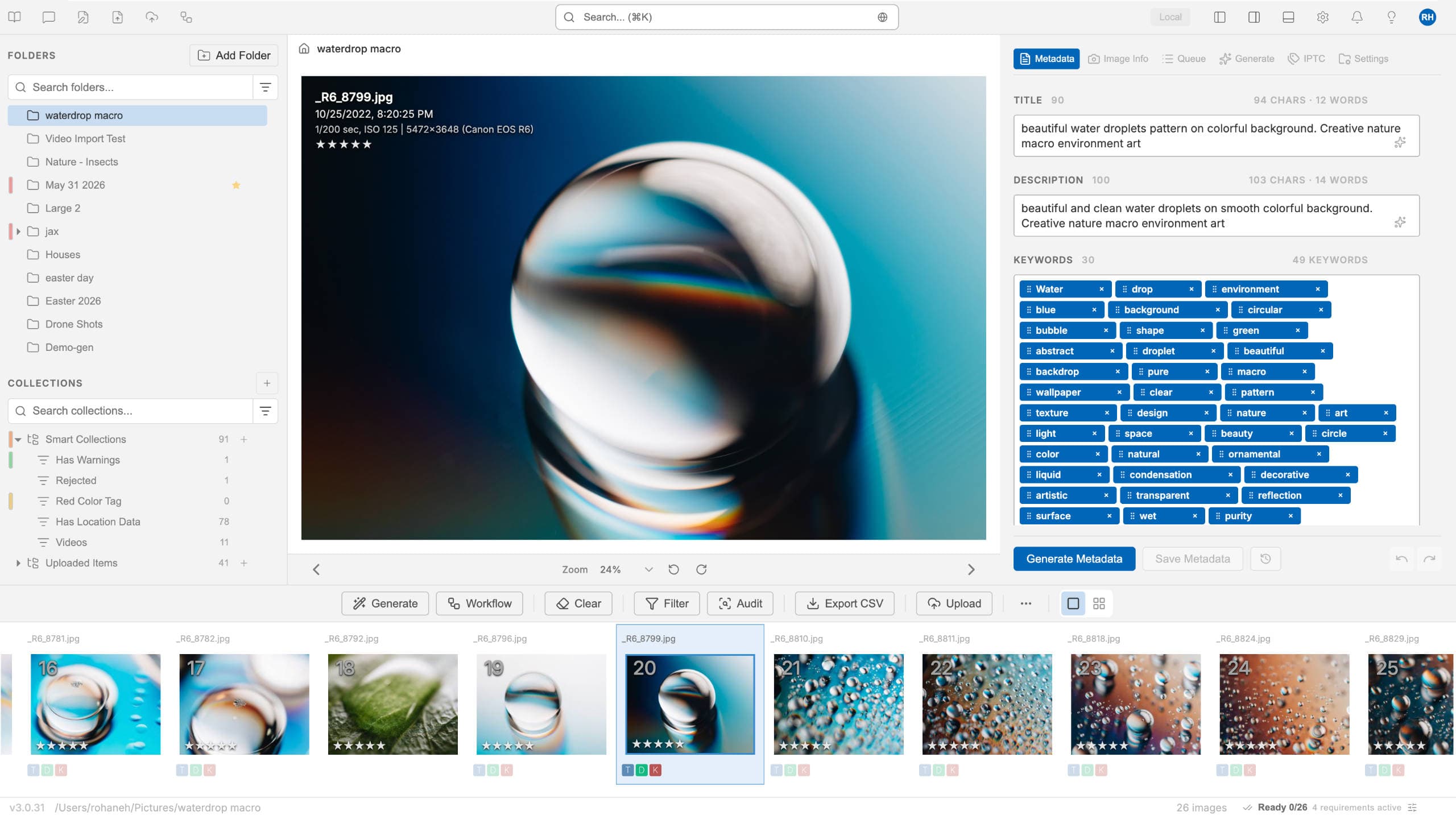
Everything you need
A faster path from shoot to sale
Purpose-built tools that handle the tedious part of stock photography, so you can spend your time creating.
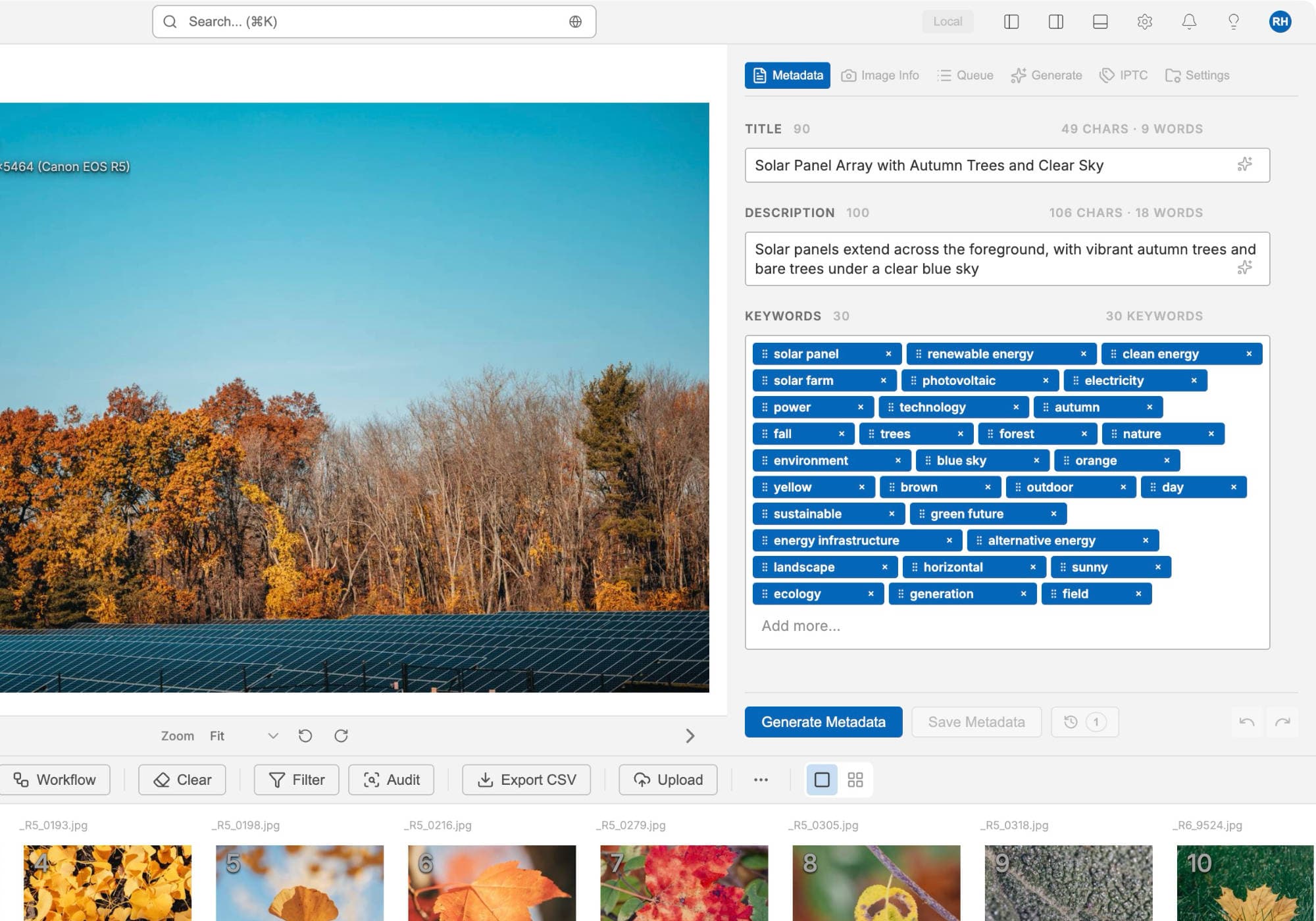
AI metadata in seconds
Accurate titles, descriptions and keywords generated for every photo and video, tuned for stock agencies.
Batch at scale
Drop in thousands of files and process them in one pass — about 1,500 files every 3 minutes.
Controlled vocabulary keywording
Generate keywords drawn from the Getty Images / iStock controlled vocabulary, so your terms aren't dropped at submission.
Quality check before you submit
Built-in blur, exposure and grain triage flags weak frames before they cost you a rejection — with sensitivity you control.
Fully private option
Switch on local AI models and everything stays on your machine — complete, end-to-end privacy.
50+ formats
JPEG, PNG, TIFF, RAW, MP4, MOV and more — including camera-native files, no conversion needed.
Agency-ready exports
Embed metadata or export clean CSVs ready for 30+ agencies like Adobe Stock and Shutterstock.
Direct agency delivery
Send finished files straight to your agencies over FTP, FTPS or SFTP with built-in presets — no browser uploads.
Available in 12 languages
The entire app — interface and all — is translated into 12 languages, so you can work in yours.
One workspace
Stay in control of every detail
A clean, focused desktop app that puts your whole library in front of you — generate, review, refine, and ship without leaving the window.
- Review and edit every field before you export
- Color-tagging, custom CSV, and folder presets
- Keyword and title controls tuned per agency
New in 3.1 · Controlled vocabulary
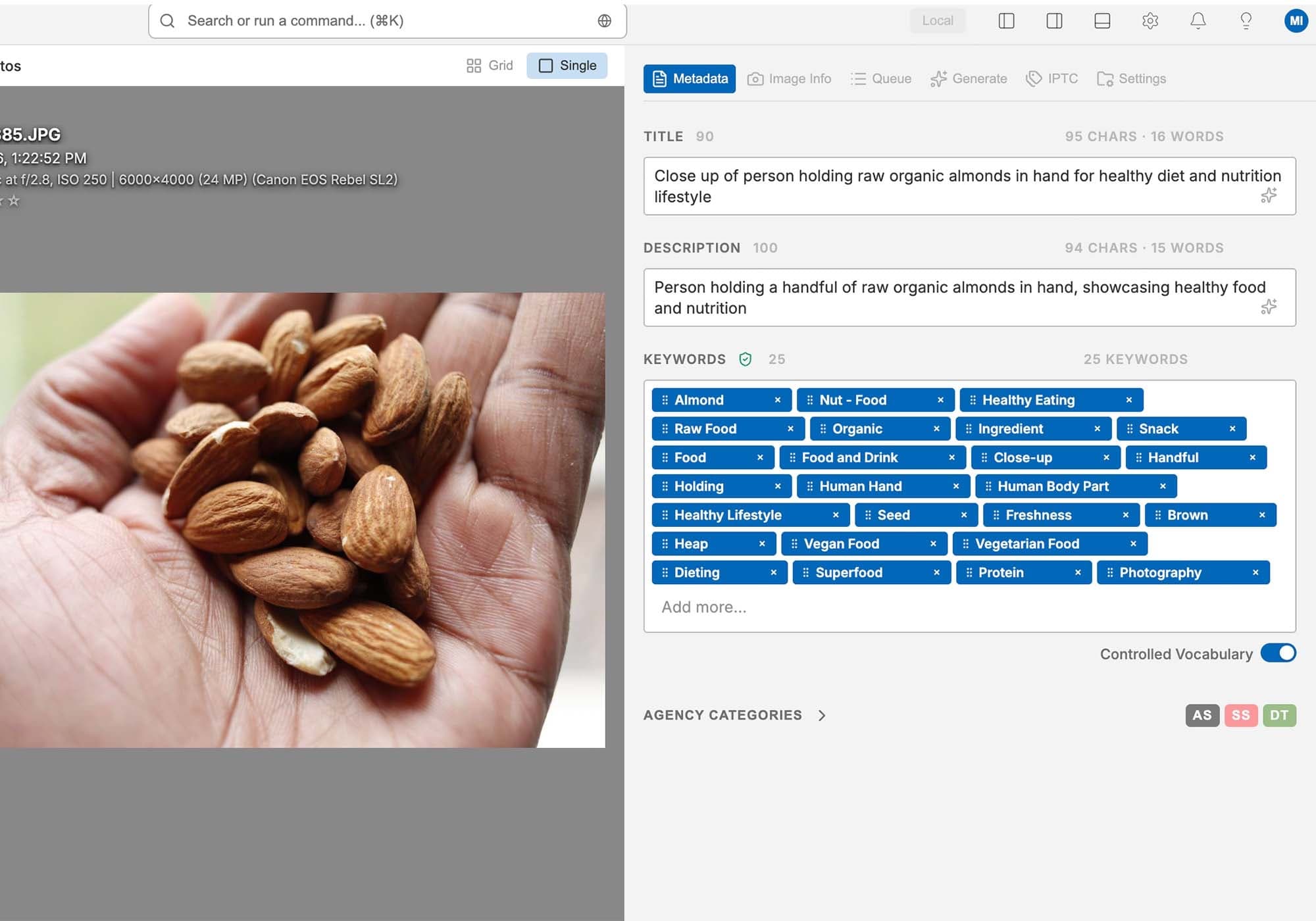
Keywords that survive Getty & iStock submission
Getty Images and iStock only accept keywords from their controlled vocabulary — a fixed list of approved terms. Anything outside it is simply dropped from your submission. MetaPhotoAI generates keywords drawn from that vocabulary, so the terms you write are the terms that count.
Vocabulary-matched generation
Turn on Controlled Vocabulary and keywords are matched against the official term list during generation, instead of being guessed and silently discarded later.
Provenance on every image
A shield badge shows at a glance whether an image's keywords are fully or partially vocabulary-matched, and unmatched terms are marked right in the keyword list.
Checked before you upload
Filter your library by controlled-vocabulary status and get a pre-flight warning if you're about to deliver files whose keywords weren't vocabulary-matched.
MetaPhotoAI is an independent application and is not affiliated with or endorsed by Getty Images or iStock.
Built for speed
Native performance that keeps up with a full shoot — no queues, no waiting on the cloud.
Private by design
Your work stays yours
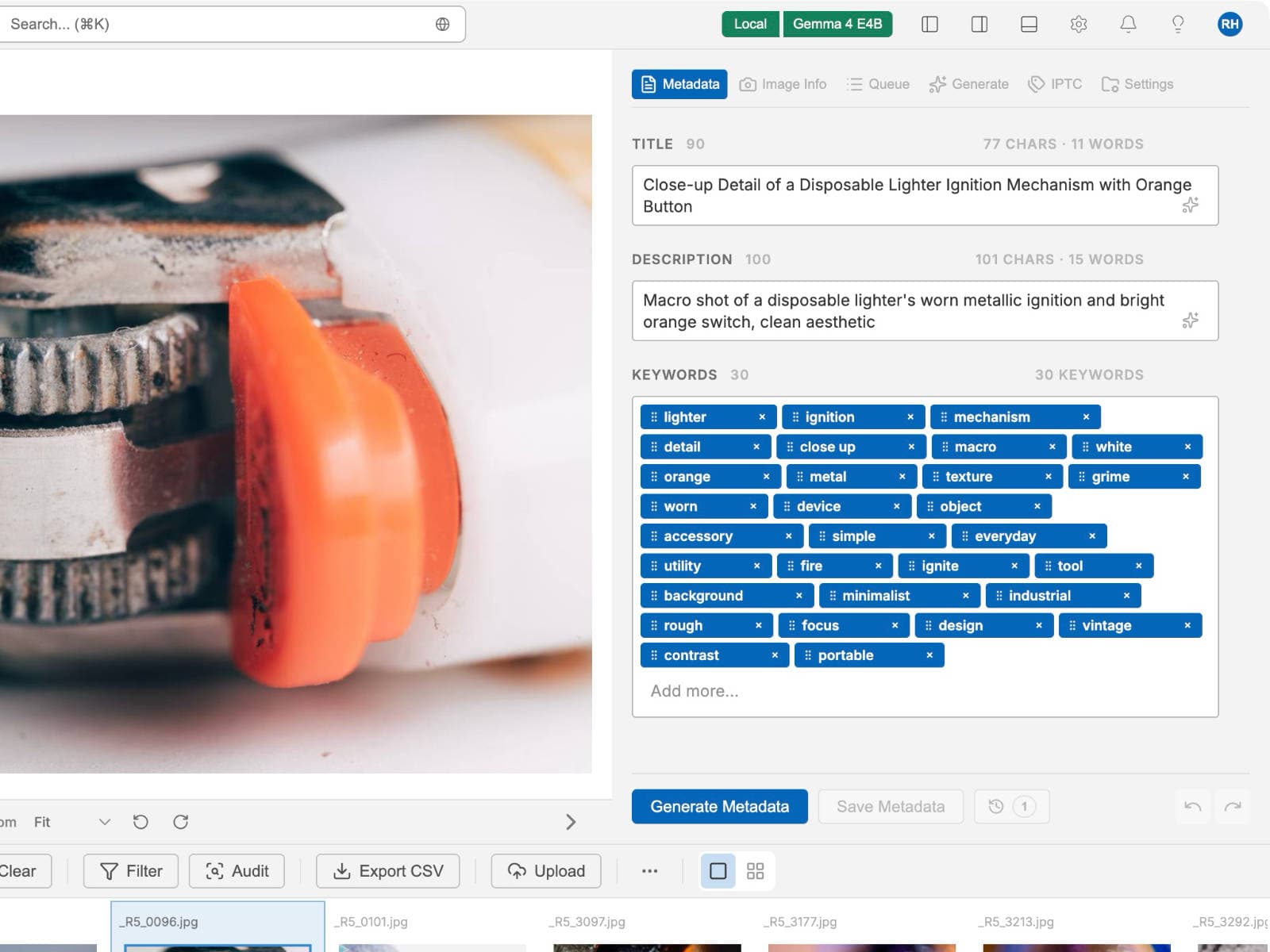
Turn on local AI models and MetaPhotoAI processes everything on-device — privacy for client work, speed without round-trips, and total control over your library.
Keep everything on-device
Choose local AI models and your files and metadata stay on your machine, start to finish.
Runs on your hardware
Local models use your machine's resources for fast, native processing — no rate limits.
Built for client work
Keep full ownership of client projects and unreleased shoots with private, local processing.
How it works
Four steps from import to upload
A simple, repeatable flow designed to disappear into your routine.
Import
Drag in a folder of photos or videos — RAW and camera-native files included.
Generate
AI writes titles, descriptions and keywords for the whole batch in minutes.
Review
Skim, tweak, and approve. Presets keep everything consistent and on-brand.
Upload
Embed metadata or export a clean CSV ready for your stock agencies.
Works with your files
50+ formats, no conversion
From phone snaps to camera-native RAW and full video — bring whatever you shoot.
Photos
RAW
Vectors
Video
Free download
Get MetaPhotoAI
Download the desktop app and start generating professional metadata in minutes. Free tier includes 50 credits.